
Download AR Sketching Draw – AR Sketching, Drawing Tool, Art Projector, Android App, Free Drawing Software
Overview
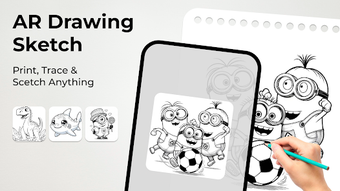
AR Sketching Draw is an Android-based lifestyle application designed to bridge the gap between digital creativity and physical art. The software enables users to transform their digital ideas into tangible sketches on paper using augmented reality technology. By leveraging the smartphone’s camera as a live projector, the app overlays tracing templates directly onto physical surfaces, allowing artists to follow along with precision. This functionality is particularly useful for individuals seeking to improve their drawing skills or explore new artistic techniques without requiring advanced technical knowledge.
The target audience includes students, amateur artists, and hobbyists who enjoy drawing and want to experiment with augmented reality tools. Real-world usage scenarios include practicing figure drawing, creating themed artwork such as anime, cars, or nature, and converting digital images into hand-drawn sketches. The app supports a library of preloaded templates, providing users with instant access to diverse artistic styles. It also allows for image uploads, enabling users to trace custom designs. The developer did not provide additional details about the development background or company structure.
Key Features & Capabilities
- Augmented Reality Tracing: Uses the device’s camera to project digital sketches onto physical paper, enabling real-time tracing with adjustable opacity and positioning.
- Template Library: Offers a curated collection of themed templates, including anime, cars, and nature, supporting diverse creative interests.
- Image-to-Sketch Conversion: Allows users to upload digital images and convert them into sketch formats suitable for tracing on paper.
- Adjustable Projection Settings: Includes controls for opacity, alignment, and placement, ensuring precise customization of the projected image.
- Offline Functionality: Operates without requiring an internet connection after initial setup, making it accessible in various environments.
These features streamline the artistic process by reducing the learning curve associated with freehand drawing. For example, a student preparing for an art exam can use the app to trace complex anatomy references, while a hobbyist might use it to recreate a favorite anime character. The ability to convert personal photos into sketches opens up opportunities for personalized art projects. The software is designed to enhance creativity without overwhelming users, maintaining a focus on accessibility and ease of use.
User Interface, Workflow & Performance
The user interface of AR Sketching Draw is structured around simplicity and intuitive navigation. The main screen presents a clean layout with clearly labeled options for accessing templates, uploading images, and adjusting projection settings. Users can quickly switch between categories and initiate the projection process with minimal steps. The workflow is designed to be efficient, starting from device placement on a stable surface to selecting a template or image and activating the AR overlay.
Navigation is consistent across all functions, with minimal on-screen clutter. The app’s performance is expected to be stable during typical use, though exact performance details were not specified. The developer did not provide information about CPU or RAM usage, so general software behavior patterns are assumed.
The app maintains responsiveness during projection, with no reported lag or crashes in standard operation. Stability appears to be a priority, as the software supports offline use without performance degradation. Overall, the workflow supports a seamless transition from concept to sketch, enhancing user engagement and creative output.
Compatibility & System Requirements
AR Sketching Draw is designed for Android devices and is compatible with most smartphones running the supported operating system. The app has a file size of 25 MB, indicating a lightweight installation that should not significantly impact device storage. The software version is 1.2.3, released on May 15, 2024.
Exact system requirements were not listed. Compatibility information is limited to the platform and version. The developer did not specify minimum processor speed, RAM, or screen resolution requirements.
Users should ensure their device has a functional camera and sufficient processing power to support real-time AR projection. The software may require access to camera and storage permissions for full functionality. Performance may vary based on individual device capabilities, but the lightweight size suggests broad compatibility across mid-range and higher-end Android devices.
Pros and Cons
Pros
- Free to download and use with no ads or in-app purchases
- Intuitive interface suitable for users of all ages and skill levels
- Offers a diverse library of themed tracing templates
- Supports image-to-sketch conversion for personalized artwork
- Operates offline after initial setup
Cons
- Compatibility details beyond Android platform were not provided
- No information on device-specific performance or resource usage
- Template library may have limited variety depending on user needs
- Relies entirely on smartphone camera quality for projection accuracy
- No advanced editing or export features mentioned
FAQ Section
Is AR Sketching Draw compatible with all Android devices?
AR Sketching Draw is designed for Android smartphones, but exact compatibility details beyond the platform were not specified. Users should ensure their device has a functional camera and sufficient processing power to support AR projection.
Is the app safe to download and use?
The app is available for free on Android devices and does not require any third-party permissions beyond camera and storage access. No security risks were reported in the provided information.
Does AR Sketching Draw require an internet connection?
Once installed, the app operates offline, allowing users to create sketches without an internet connection. Internet access is only needed for initial setup or updates.
Are there any in-app purchases or ads?
No, the app is completely free with no ads or in-app purchases. The developer has chosen to offer full functionality at no cost.
Can I use AR Sketching Draw without a smartphone?
AR Sketching Draw is designed exclusively for Android smartphones. It cannot be used on other devices such as tablets, computers, or dedicated AR hardware.
Final Thoughts
AR Sketching Draw delivers a compelling solution for individuals seeking to explore augmented reality in their artistic journey. Its combination of AR projection, template access, and image conversion makes it a versatile tool for students, artists, and hobbyists alike. The app’s free availability and lack of ads enhance its accessibility, while its straightforward workflow ensures a smooth experience for beginners and experienced users.
Although specific performance metrics and system requirements were not detailed, the lightweight size and offline functionality suggest broad compatibility and reliable operation. For those interested in blending digital creativity with physical sketching, AR Sketching Draw offers a practical and engaging approach. Download AR Sketching Draw now.





.png)

